

How do I access and change my profile information?
This feature allows you to edit and update the information within your profile. You can change your emailaddress, phone number, password, login name, and more. Your profile contains details such as your address and contact information, as well as personal information you choose to share with your fellow club members.
- To access your profile for editing, you must go to your club homepage and login. Then, click on Member Area on the top right.
- Along the top of the screen, you will see several blue tabs. Click on the My ClubRunner tab.
- Next, click on the My Profile link on the grey menu bar below My ClubRunner.
- You are now on the Member Profile screen. This screen contains your personal information, which may be shared with fellow members of your club. To add or update the information that appears click on the Edit button just above your personal information.
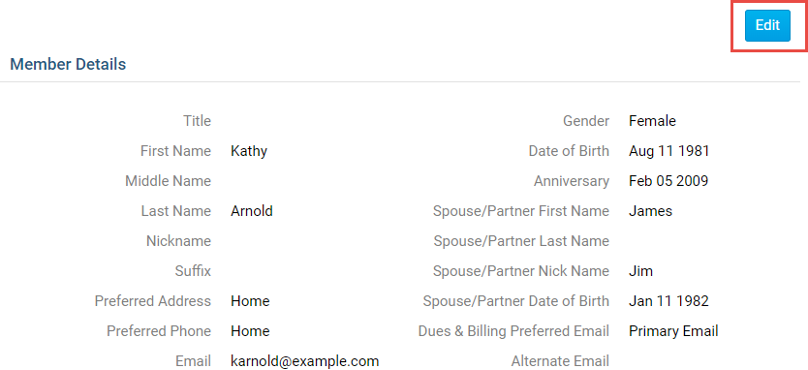
5. You can now enter your personal data into the fields listed or edit existing information.
Note: Fields marked in red are mandatory. If you try to click Save when a mandatory field is blank, you will receive
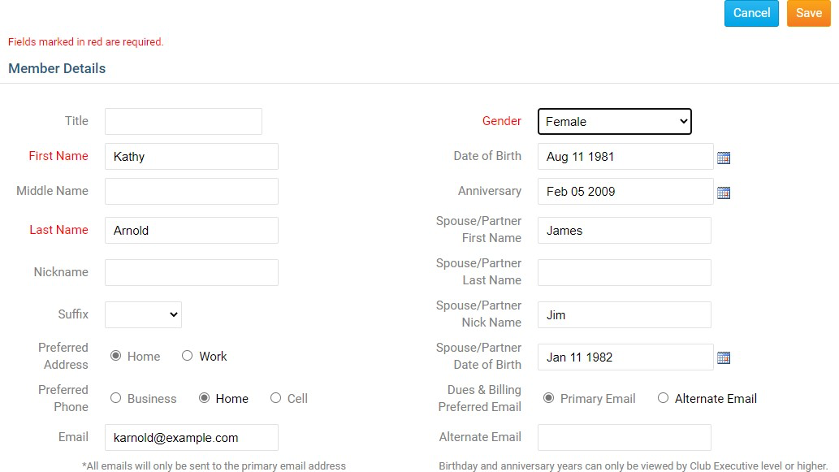
6. When you are finished editing your profile, click Save. There are Save buttons at the top and bottom of the Member Profile screen. Click Cancel if you do not wish to save your changes.
There are 6 tabs on the member profile. Each one contains different information.
Personal Tab
On this page it displays personal information about the member. This is useful to see if the profile is up to date. If you want to editany of this information click on the Edit button and once done click Save.
Rotary/Organization Tab
On this page it displays information about the Rotary and attendance.
Note: Some details on this tab are not able to be modified without additional access. Contact your Club/Organization for assistance with updating these profile details
Biography Tab
This page displays the biography of the member. If you want to edit any of this information click on the Edit button and once done click Save.
Commitments Tab
This page displays the Club Events, Volunteer Tasks, Meeting Responsibilities, New Member Program, and Current Committees you are in.
Settings Tab
On this page it displays the Access Level, Login Information, Member Roles, and Custom Email Signature. If you want to edit any of this information, click on the Edit button, and once done click Save
Privacy Tab
This page shows the member's Communication Preferences,
Communication Preferences: The member can choose not to receive certain emails.
For complete article: